
[EN] Getting started
New to university and not quite sure how Stud.IP works? Don't worry: You'll find the most important information here at a glance to help you get off to a good start in your studies.
Getting Started
You can find Stud.IP at the following URL https://studip.tu-braunschweig.de
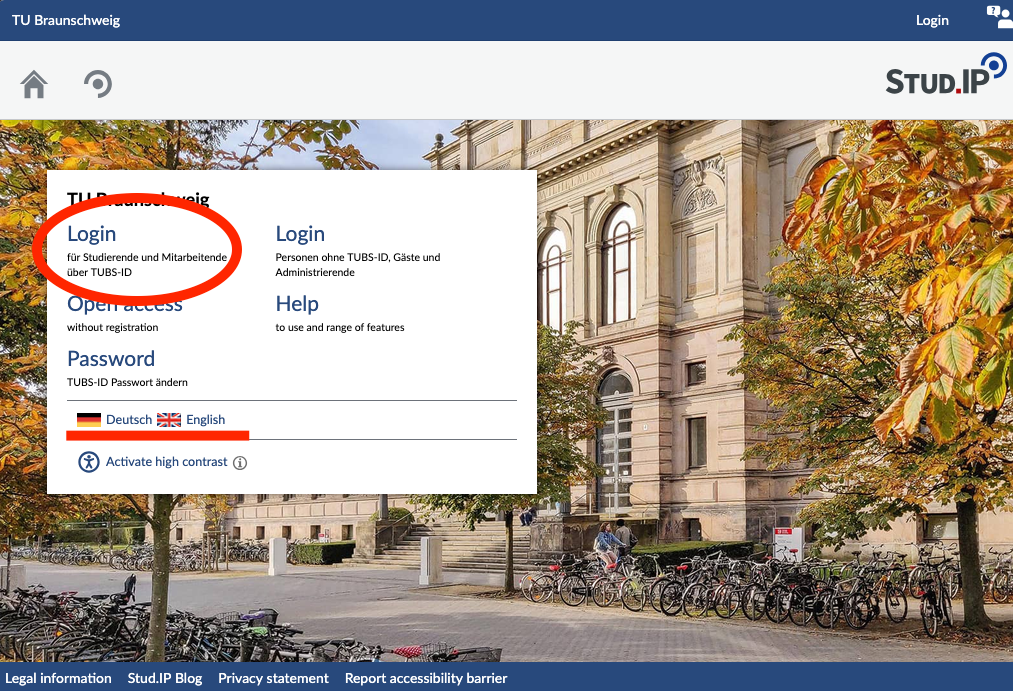
You can log in there using the field in the upper-left corner with your TUBS ID (y-number) or with the login credentials from another university in Lower Saxony.
To log in with a different ID, please check this page to find out which login you need to use.
On the landing page, you can switch the language to English. This setting also applies to the account you log in to. You can change the language at any time later in the settings.
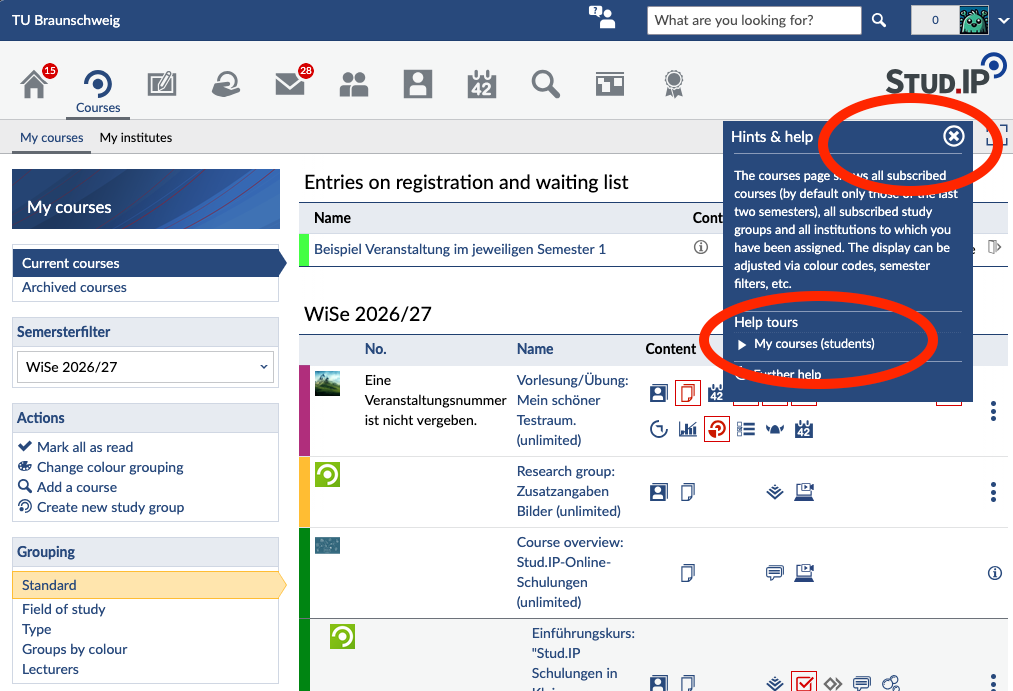
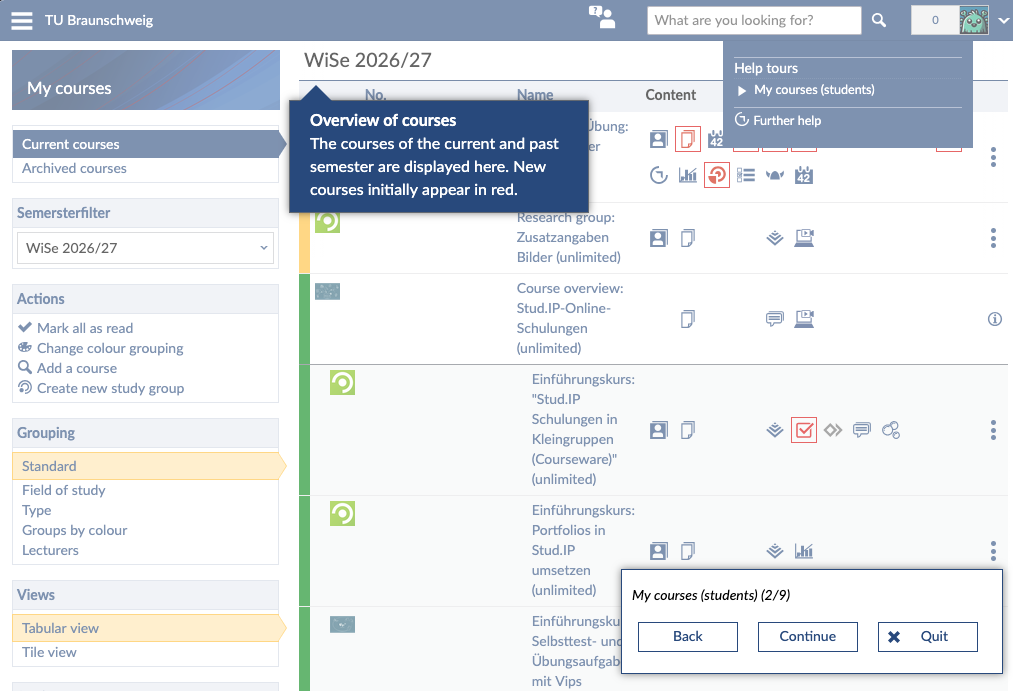
When you log in for the first time, Stud.IP offers you a short tour. It will help you find your way around the system. Please take a moment to go through it. You can also close the tour and start it again later by clicking on the question mark in the upper right corner, below the Stud.IP logo.
Finding Courses
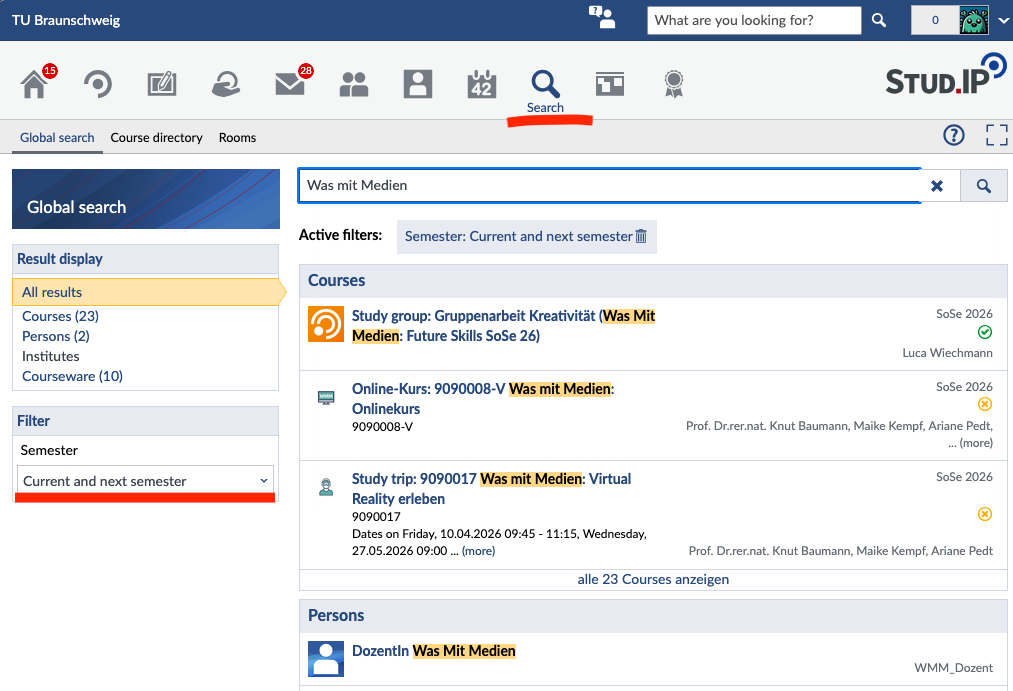
Click the magnifying glass icon for “Search” in the top bar. Then enter the name or number of the course in the search field. Finally, select the correct course by clicking on its title.
On the right-hand side, you'll find the “Actions” info box. There, you can sign up for the course by clicking “Go to Course.”
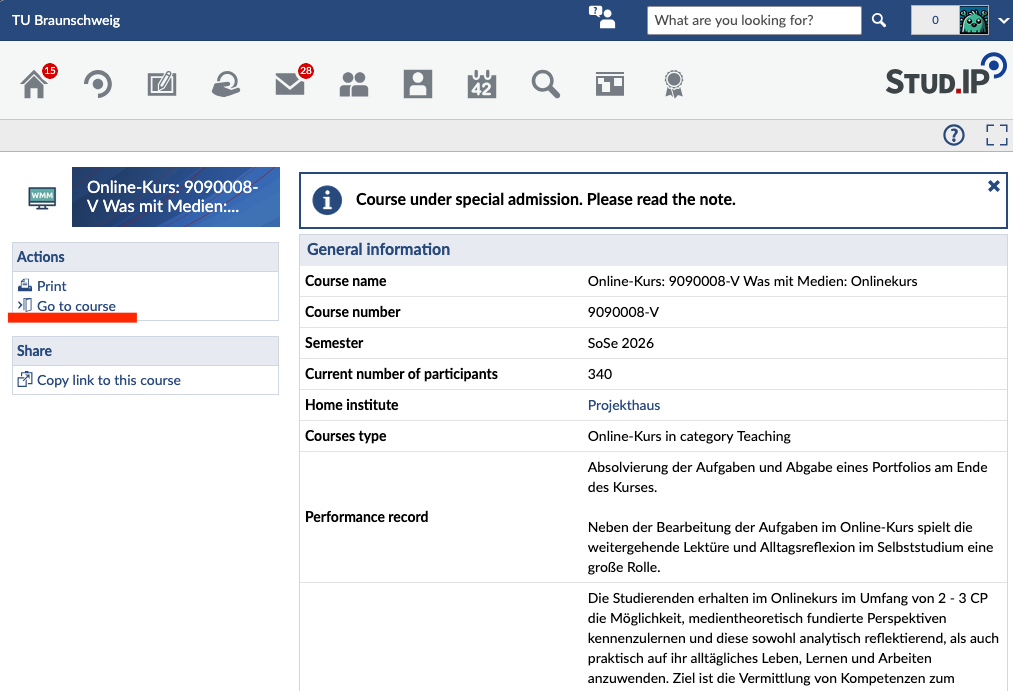
In TUconnect, you can view all the courses in your degree program in the course catalog. On the course details page, you'll also find a link to the course in Stud.IP.
Registration for your course takes place in Stud.IP.
On the course homepage, you will find the admission requirements, the registration period, and the registration process under “Admission settings.” If the course is locked, the instructors have not (yet) established a registration procedure.

If you missed the registration period but urgently need to attend the course, please contact the instructors directly.
Assigning a Degree Program
Your academic data is automatically imported from TUconnect. You do not need to enter it yourself.
At the start of the semester, however, it’s possible that your information isn’t updated in time for the start of registration. This can happen, for example, if your re-enrolment was processed late.
Important: Your Stud.IP account is first created after your first login. The nightly update can only transfer your information after that.
Please make sure to check in advance whether your academic information is up to date. Some courses are only open to students in certain degree programs. If your degree program or semester has not yet been updated a few days before registration, please contact Stud.IP Support (studip@tu-braunschweig.de) with your current certificate of enrolment. We will then manually update your information so that you can register for your courses without any issues.
No comments to display
No comments to display