
[EN] Announcements and banners
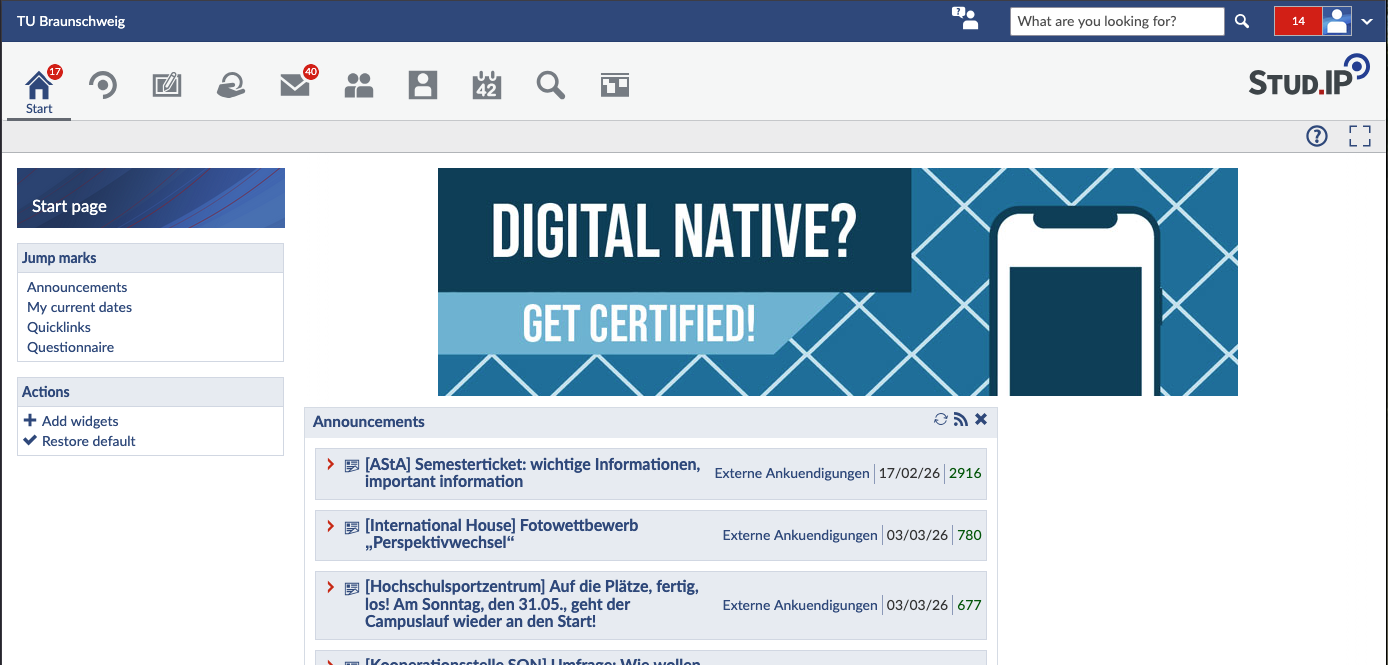
On the Stud.IP start page, you can publish announcements, for example to draw attention to events.
Announcements
Send an email or support request to Stud.IP Support with the following information:
- Title of the announcement
- Brief description or announcement text
- Duration (start and end date) in which the announcement should be posted
Stud.IP Support will review your request and take care of the publication.
Rules for announcements
1. Only one active announcement per institution
- The institution is indicated in square brackets in the title.
- At the beginning of the semester, each institution may only run one announcement at a time.
- If there are several topics, combine them in one post or stagger them over time (e.g., announcement 2 only starts when announcement 1 has expired).
2. Target group
- The announcement must be relevant to a larger group of students and/or employees or allow for broad participation.
- Remaining places available in seminars are not permitted.
3. Content relevance
- A clear connection to studying or the university is required.
- Commercial offers will not be published.
4. Organizer
- Only university members or university-related initiatives may post announcements.
- External companies are excluded.
5. Number of announcements per event
- For larger events (e.g., fairs, conferences), only one announcement is permitted on the home page.
- Individual workshops or lectures can be mentioned in the text or published separately on the bulletin board under “Events.”
6. Political announcements
- No political announcements will be published on the home page.
- Alternatively, you can use the bulletin board.
7. Job offers
- Job offers are not permitted as announcements.
- Please use external job portals (e.g., the TU Braunschweig job market) for this purpose.
8. Links
- Only links to your own institute pages or internal Stud.IP modules (e.g., surveys, events) are permitted.
- External social media links (Facebook, Twitter, etc.) will not be approved.
In case of uncertainty, Stud.IP Support will make the final decision as to whether your announcement complies with the guidelines.
Banners
Send an email or support request to Stud.IP Support with the following information:
- Description/name of the banner
- Mouseover alternative text
- Link type: URL, course, institution, user, or (in exceptional cases) no link
- Link destination:
- URL (only TU or institute/event websites)
- Stud.IP internal target
- Duration (start and end date) of the banner placement
Rules for banners
- The general Stud.IP announcement rules (see above) also apply to banners.
- Multiple banners are possible at the same time; prioritization is determined by the support team.
- Permitted file types: .jpeg, .jpg, .png, .gif.
- Maximum dimensions:
- Width ≤ 1000 px
- Height ≤ 200 px
- If your banner is larger, please scale it down accordingly.
Design tip
- Make sure the font is large enough so that text remains legible on mobile devices.
- Ideally, a banner should have a logo and a maximum of two lines of text.
- You have complete freedom in your choice of colors and design.