**Voraussetzung: in den Grunddaten eines Termins muss das Feld „Mehrfachraumbuchung“ angehakt sein - siehe folgend**
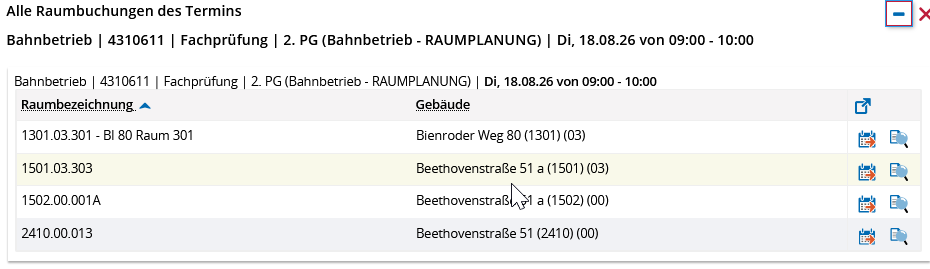
[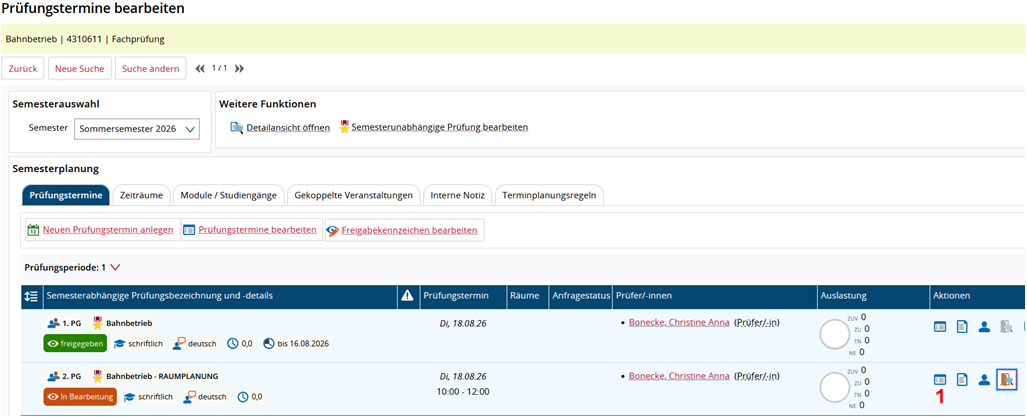](https://books.rz.tu-bs.de/uploads/images/gallery/2026-06/eYgQx9KCTv1ElGMZ-image.png) **(1)** In der Parallelgruppe (PG) mit dem Anhang RAUMPLANUNG die Grunddaten des Prüfungstermins bearbeiten [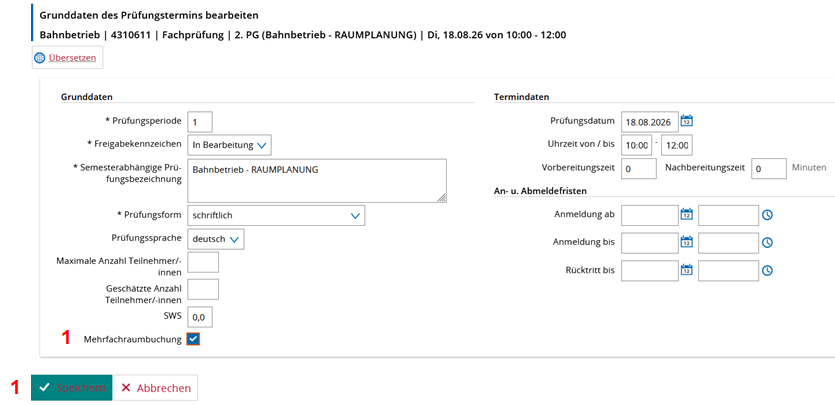](https://books.rz.tu-bs.de/uploads/images/gallery/2026-06/zOYP6vfHlJNldsKK-image.png) **(1)** Mehrfachraumbuchungen anhaken und abspeichern ##### Nun werden alle gewünschten Räume zugewiesen [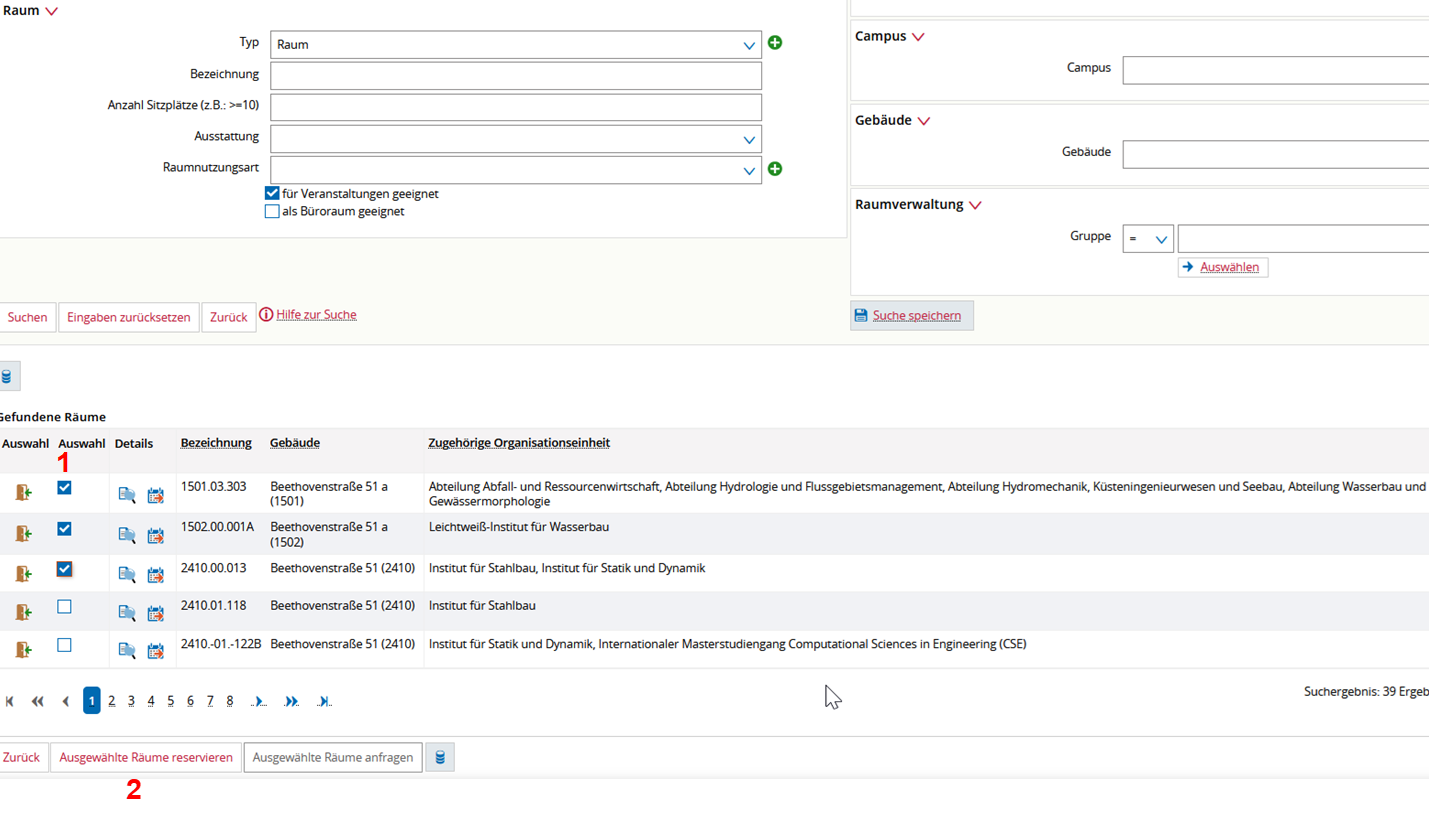](https://books.rz.tu-bs.de/uploads/images/gallery/2026-08/8VhFoah1S52IXkTv-image.png) **(1)** Alle gewünschten Räume für diesen einen Termin anhaken **(2)** Button "Ausgewählte Räume reservieren" anklicken [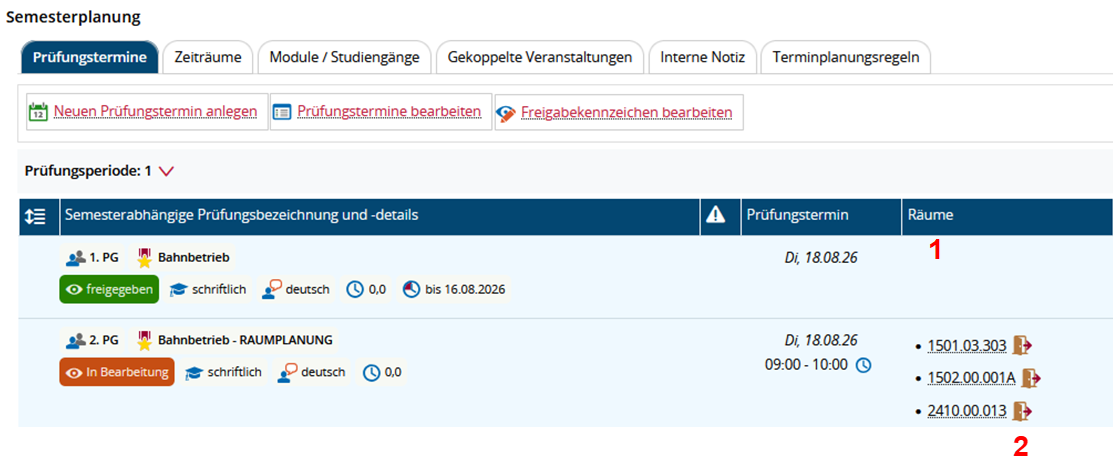](https://books.rz.tu-bs.de/uploads/images/gallery/2026-08/gzkUNIMqfVa9kuSa-image.png) **(1)** Alle zugewiesenen Räume sind hier sichtbar **(2)** und können jeweils über das Tür-Icon wieder storniert werden Werden mehr als 3 Räume zugewiesen, sieht die Raum-Anzeige im Terminsatz nun so aus. Es erscheint die Anzahl der Raumbuchungen [](https://books.rz.tu-bs.de/uploads/images/gallery/2026-08/cVMq6TEn5eC0QYDU-image.png)Nach Klick auf den Link "Mehrere Buchungen (4) werden alle zugewiesenen Räume angezeigt, die dann über das Tür-Icon auch wieder einzeln stornierbar sind.
[](https://books.rz.tu-bs.de/uploads/images/gallery/2026-08/VsAM7ASrLTZOoqbG-image.png)